PDF to LaTeX Introduction
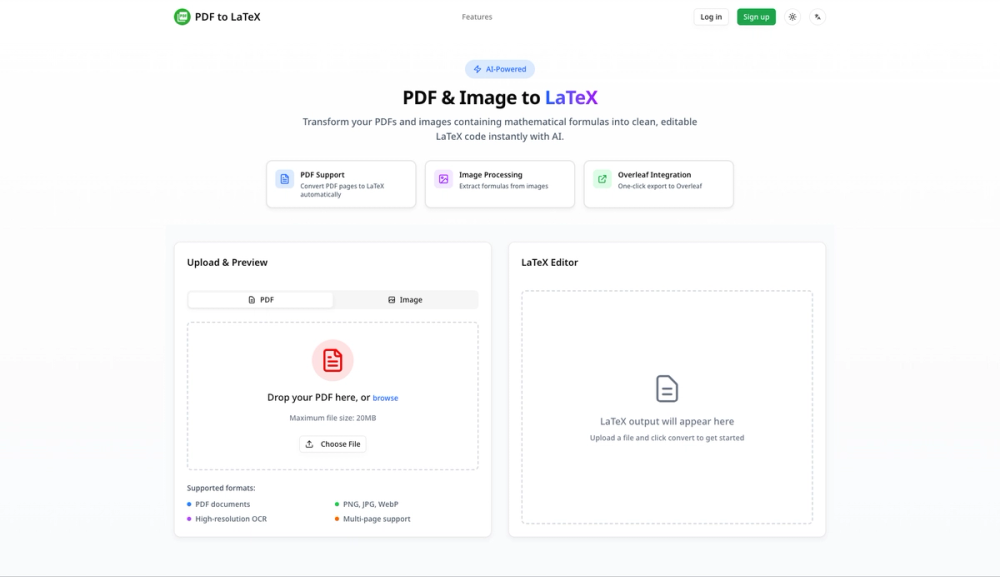
PDF to LaTeX is an AI-powered document conversion platform that transforms PDFs, images, and handwritten notes into clean, editable LaTeX code. Designed for students, researchers, and professionals, it enables seamless conversion of academic documents while maintaining original formatting and mathematical accuracy.
PDF to LaTeX Core Features
1. Intelligent PDF Recognition
- Multi-page Processing: Handle PDFs with multiple pages in a single conversion
- Comprehensive Detection: Automatically identifies formulas, tables, images, and text
- Advanced OCR Technology: Preserves original formatting and layout with 95%+ accuracy
- Smart Layout Analysis: Understands document structure and maintains proper spacing
2. Precision Formula Extraction
- Advanced ML Algorithms: Machine learning-powered formula recognition
- Complex Formula Support: Handles inline formulas, multi-line equations, matrices, integrals, and special mathematical symbols
- Symbol Recognition: Recognizes Greek letters, mathematical operators, and scientific notation
- Accuracy Rate: Achieves 95%+ conversion accuracy for clear documents
3. Seamless Overleaf Integration
- Real-time Streaming: Get conversion results as they're being processed
- One-click Export: Export directly to Overleaf with a single click
- Direct Download: Download as .tex files for use in any LaTeX editor
- Collaboration Ready: Enable immediate collaborative editing on Overleaf
4. Handwritten Notes Recognition
- AI-powered OCR: Convert handwritten mathematical formulas to LaTeX
- Multi-source Support: Process photos, screenshots, and scanned documents
- Searchable Output: Make handwritten notes searchable and editable
- Quality Handling: Works with both neat and messy handwriting
5. Additional Tools & Features
- LaTeX Table Generator: Visual WYSIWYG editor for creating LaTeX tables with Booktabs support
- LaTeX Symbols Reference: Comprehensive guide and search for mathematical symbols
- Batch Processing: Convert multiple pages and images efficiently
- Cloud History: Access your conversion history (7-90 days depending on plan)
- File Management: Organize and manage your conversions
- Export Options: Download as .tex, PDF, or export to Overleaf
6. Supported Elements
- Formulas: Inline and display equations, complex mathematical expressions
- Tables: Data tables, scientific tables, matrices
- Images: Embedded images, figures, diagrams
- Text: Paragraphs, sections, lists, formatting
- Special Content: Headers, footnotes, citations