Document to Markdown Converter: Convert Files into Clean Markdown
What Is a Document to Markdown Converter?
Documents are everywhere.
PDF files, Word documents, Excel spreadsheets, and presentations are widely used for storing and sharing information. However, traditional document formats are not always suitable for modern workflows.
Today, people need documents that are:
- Easy to edit
- Compatible with AI tools
- Searchable and structured
- Easy to reuse across platforms
A Document to Markdown Converter helps transform traditional files into clean and structured Markdown files.
Markdown is a lightweight text format that works perfectly with:
- AI applications
- Knowledge bases
- Documentation systems
- Developer workflows
- Content management platforms
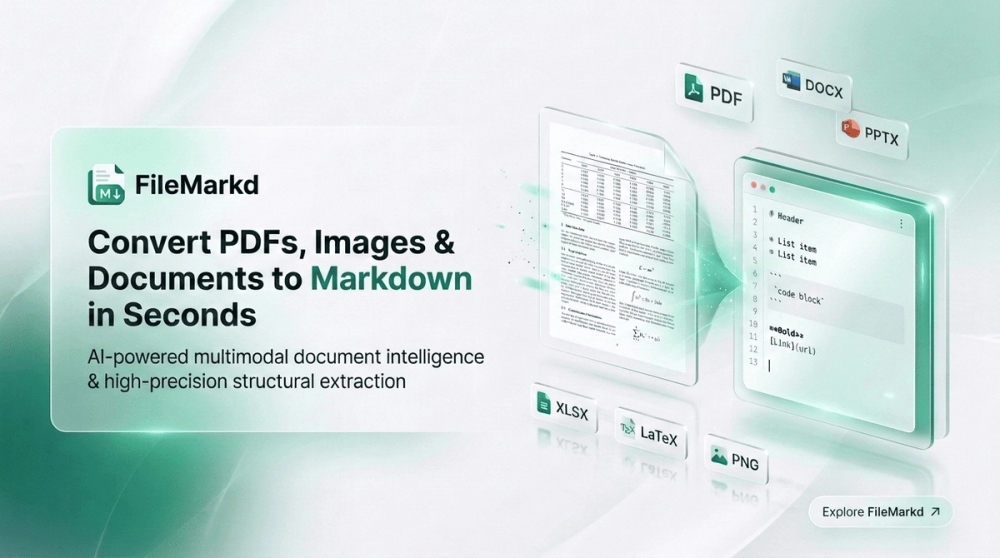
FileMarkd makes it easy to convert documents into Markdown while preserving important structures such as headings, lists, tables, and formatted content.
Why Convert Documents to Markdown?
Markdown Is Better for AI Workflows
AI tools such as ChatGPT, Claude, and other large language models work better with structured and clean text.
Traditional document formats often contain:
- Complex layouts
- Hidden formatting
- Unnecessary styles
- Page-specific elements
These elements can make AI document processing more difficult.
Markdown removes unnecessary formatting while keeping important information:
- Headings
- Lists
- Tables
- Links
- Code blocks
This makes Markdown an ideal format for:
- AI document analysis
- RAG knowledge bases
- AI assistants
- Document search systems
Benefits of Using Markdown
Easy Editing
Markdown files are simple text files.
You can edit them with popular tools:
- VS Code
- Obsidian
- Typora
- GitHub
- Notion
No special software is required.
Better Long-Term Storage
Unlike proprietary document formats, Markdown is:
- Lightweight
- Portable
- Future-proof
- Version-control friendly
Markdown files can be stored and managed easily for years.
Perfect for Developers
Markdown is widely used in software development.
Common use cases include:
- README files
- API documentation
- Technical guides
- Open-source projects
- Developer blogs
Converting documents to Markdown allows content to fit naturally into modern development workflows.
Supported Document Conversions
FileMarkd supports converting many popular file formats into Markdown.
PDF to Markdown
PDF is designed for displaying documents, not editing content.
A PDF to Markdown converter helps extract:
- Text content
- Headings
- Lists
- Tables
- Document structure
Common use cases:
- Research papers
- Business reports
- Technical documents
- Ebooks
- Product documentation
Word to Markdown (DOCX to Markdown)
Microsoft Word is commonly used for business and content creation.
However, DOCX files are not always convenient for:
- Knowledge management
- AI processing
- Developer workflows
Converting Word documents to Markdown makes content easier to:
- Edit
- Publish
- Analyze with AI
- Store in documentation systems
Excel to Markdown
Excel files often contain valuable structured information.
Converting Excel spreadsheets to Markdown makes data easier to:
- Share online
- Include in documentation
- Process with AI tools
- Store in knowledge bases
Example:
Original spreadsheet:
| Product | Price |
|---|---|
| Product A | $10 |
Converted Markdown:
| Product | Price |
| --- | --- |
| Product A | $10 |