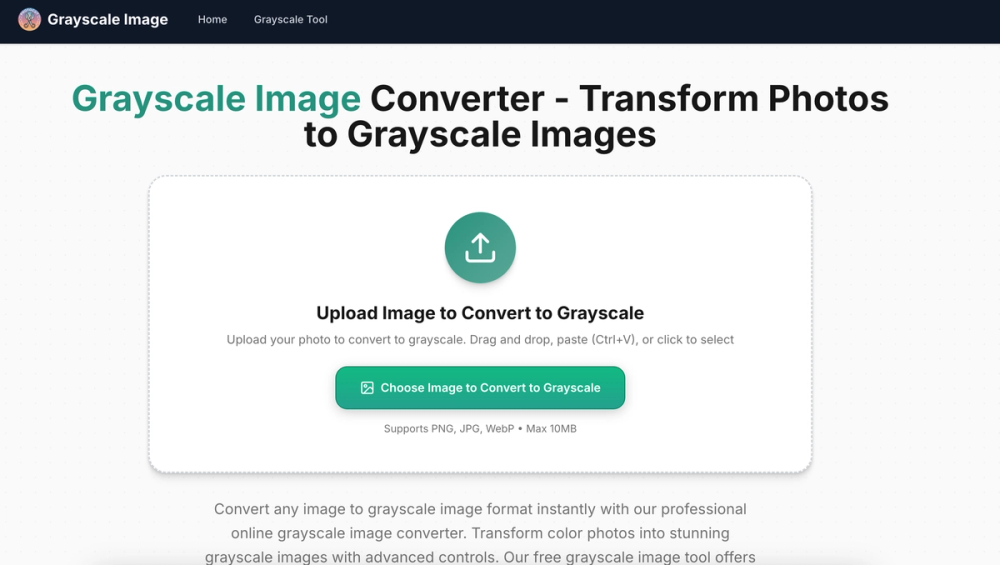
Grayscale Image — Free Online Grayscale Converter
Looking for a quick way to turn color photos into black and white? Greyscale Image lets you convert any image to grayscale instantly — right in your browser.
Key Features
- 4 Grayscale Methods: Average, Luminosity, Desaturation, and Single-Channel extraction
- Brightness & Contrast Controls: Fine-tune your monochrome output before downloading
- Multiple Format Support: Works with JPG, PNG, and WebP up to 10MB
- 100% Client-Side: Images never leave your device — zero server uploads, total privacy
- No Signup, No Watermark: Completely free with no strings attached
Who Is It For?
Whether you're a photographer previewing shots in monochrome, a designer creating mockups, or just someone who wants a quick black-and-white photo for social media — Grayscale Photo gets the job done in seconds.
How It Works
- Drag and drop your image (or click to upload)
- Choose your preferred grayscale method
- Adjust brightness and contrast if needed
- Download your converted image instantly
No installation, no account creation, no hassle. Just fast, free grayscale conversion in one click.
##Why Choose Grayscale Image?
Most online image tools require you to upload files to a remote server — that means your photos pass through someone else's infrastructure. Grayscale Image takes a different approach: everything runs in your browser using HTML5 Canvas. Your images are processed locally and never transmitted anywhere. This makes it ideal for sensitive photos, client work, or any situation where privacy matters.
Understanding the 4 Grayscale Methods
Not all grayscale conversions are the same. Different methods produce different tonal results:
- Average: Takes the mean of R, G, and B channels. Simple and balanced — great for general use.
- Luminosity: Weights channels based on human perception (0.21R + 0.72G + 0.07B). Produces the most natural-looking black-and-white images. This is the method used by most professional photo editors.
- Desaturation: Averages the maximum and minimum channel values. Creates a softer, lower-contrast result that works well for vintage aesthetics.
- Single-Channel: Extracts just one color channel (Red, Green, or Blue) as the grayscale value. Useful for creative effects — for example, extracting the red channel darkens skies and lightens skin tones, similar to shooting with a red filter in film photography.
Common Use Cases
- Photography: Preview how your color shots look in black and white before committing to a full edit in Lightroom or Photoshop
- Graphic Design: Create monochrome assets for layouts, presentations, and print materials
- Social Media: Give your Instagram or Twitter posts a classic, timeless look
- Web Development: Generate grayscale placeholder images or hover-state variants
- Print Preparation: Convert images to grayscale before sending to a black-and-white printer to ensure accurate tonal reproduction
- Education: Learn about color theory and how different grayscale algorithms interpret RGB data